使用Xcode进行真机调试时,出现无法找到开发者磁盘镜像的提示对话框。
1、 检查设备系统版本为9.1
2、 在Xcode 7.0中,支持的设备列表位于/Applications/Xcode.app/Contents/Developer/Platforms/iPhoneOS.platform/DeviceSupport目录下,该路径包含了对应iOS版本的设备调试支持文件,用于适配不同型号的iPhone设备进行开发与测试。
3、 确实不存在名为9.1的目录
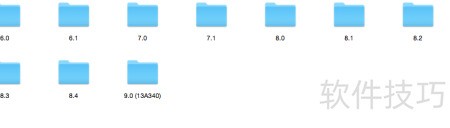
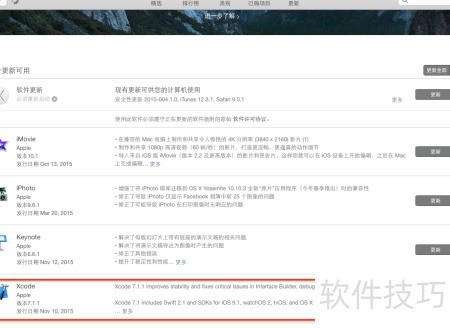
4、 由于Xcode当前版本无法兼容iOS9.1,必须先升级Xcode才能继续开发。
https://soft.zol.com.cn/1131/11318559.html
soft.zol.com.cn
true
中关村在线
https://soft.zol.com.cn/1131/11318559.html
report
406
使用Xcode进行真机调试时,出现无法找到开发者磁盘镜像的提示对话框。
1、 检查设备系统版本为9.1
2、 在Xcode 7.0中,支持的设备列表位于/Applications/Xcode.app/Contents/Developer/Platforms/iPhoneOS.platform/DeviceSupport目录下,该路径包含了对应iOS版本的设备...


