在使用 TensorFlow 时,版本差异常带来麻烦。今天将介绍如何利用 Anaconda 有效管理不同版本,轻松解决这一常见问题。
1、 搭建 TensorFlow 1.15 的虚拟环境
2、 安装 TensorFlow 1.15 版本。
3、 安装 ipykernel 工具包
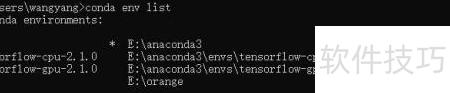
4、 查看已安装的虚拟环境
5、 可将 conda 环境中的内核用作 Jupyter 的运行内核。
6、 此命令只需运行一次即可完成。
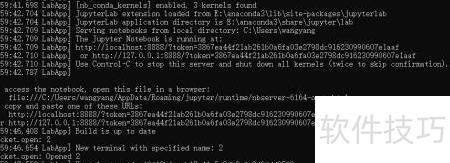
7、 输入 jupyter-lab 命令以启动服务。
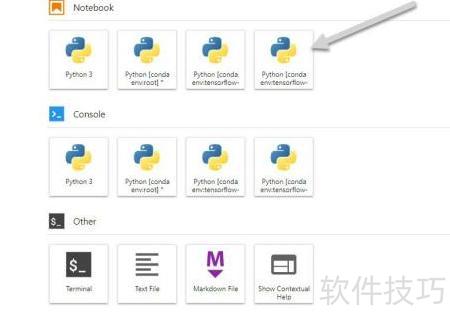
8、 现在就能看到新添加的 tensorflow-gpu-2.1.0 内核了。
https://soft.zol.com.cn/1163/11637611.html
soft.zol.com.cn
true
中关村在线
https://soft.zol.com.cn/1163/11637611.html
report
412
在使用 TensorFlow 时,版本差异常带来麻烦。今天将介绍如何利用 Anaconda 有效管理不同版本,轻松解决这一常见问题。
1、 搭建 TensorFlow 1.15 的虚拟环境
2、 安装 TensorFlow 1.15 版本。
3、 安装 ipykernel 工具包
4、 查看已安装的虚拟环境
5、 可将 conda 环境...


